> ## Documentation Index
> Fetch the complete documentation index at: https://docs.gleef.eu/llms.txt
> Use this file to discover all available pages before exploring further.
# Monitor an Experiment
> Monitor the performance of your experiments in real-time and analyze the results.
Managing your experiments is straightforward with Gleef's real-time monitoring features.
## Get an Overview of All Your Experiments
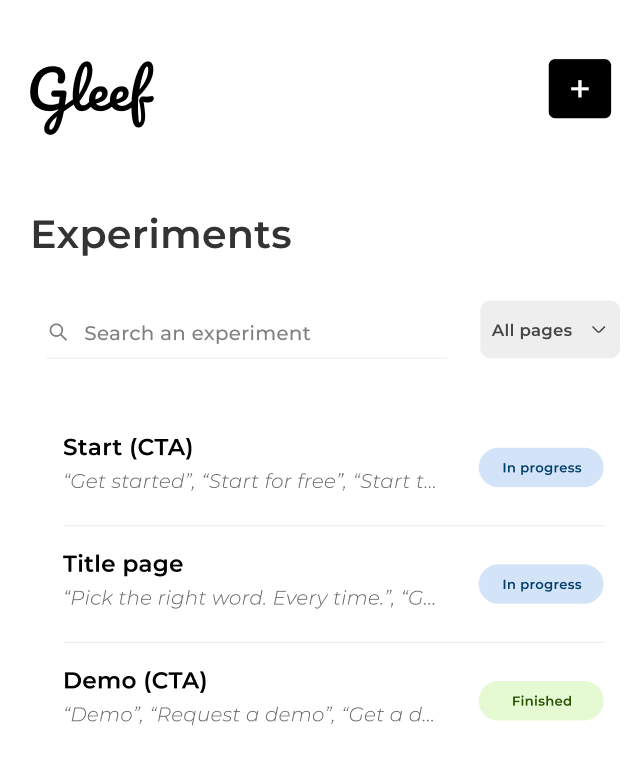 When you open Gleef on your website, you can view all created experiments (excluding deleted ones) across all pages. You can easily filter experiments to show only those on the current page.
Experiments are automatically sorted by:
* Running experiments at the top
* Creation date in descending order, with the most recent on top
## Experiment Details
When you open Gleef on your website, you can view all created experiments (excluding deleted ones) across all pages. You can easily filter experiments to show only those on the current page.
Experiments are automatically sorted by:
* Running experiments at the top
* Creation date in descending order, with the most recent on top
## Experiment Details
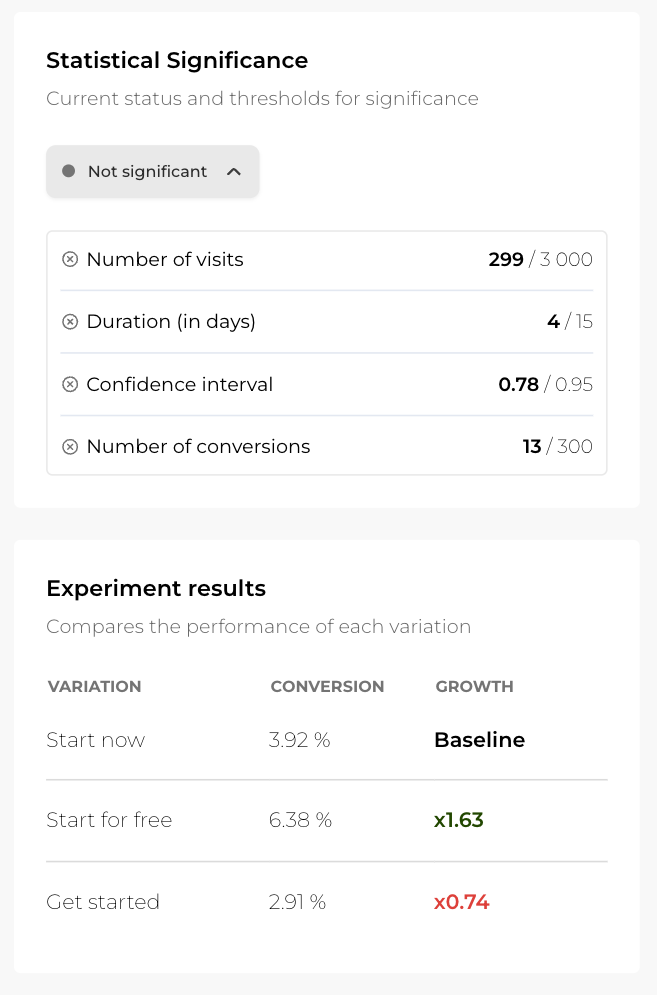 Clicking on a specific experiment shows detailed information, including its statistical significance. Refer to [our detailed section](TK) if you have questions about significance.
## Start/Pause an Experiment
```mermaid theme={null}
flowchart LR
A[Drafted] --> |Start Experiment| SP[Experiment Running]
subgraph SP
direction TB
B[Paused] --> |Resume| C[In Progress]
C[In Progress] --> |Pause| B[Paused]
end
```
An experiment can be in one of three different states:
1. **`Draft`:**
When you create an experiment but choose not to launch it immediately, it is saved as a draft. This means the experiment has never been launched.
2. **`Running`:**
When an experiment is running, visitors will see different variations associated with the experiment when they visit the linked URL.
3. **`Paused`:**
You can pause an experiment at any time. When an experiment is paused, it can be manually restarted whenever you choose. While paused, the experiment stops running, and all visitors will see the default text for that specific experiment.
Frequent switching between running and paused states can introduce bias into your experiment results. Please refer to our A/B testing [best practices](TK) for more information.
### Drafted Experiment
Clicking on a specific experiment shows detailed information, including its statistical significance. Refer to [our detailed section](TK) if you have questions about significance.
## Start/Pause an Experiment
```mermaid theme={null}
flowchart LR
A[Drafted] --> |Start Experiment| SP[Experiment Running]
subgraph SP
direction TB
B[Paused] --> |Resume| C[In Progress]
C[In Progress] --> |Pause| B[Paused]
end
```
An experiment can be in one of three different states:
1. **`Draft`:**
When you create an experiment but choose not to launch it immediately, it is saved as a draft. This means the experiment has never been launched.
2. **`Running`:**
When an experiment is running, visitors will see different variations associated with the experiment when they visit the linked URL.
3. **`Paused`:**
You can pause an experiment at any time. When an experiment is paused, it can be manually restarted whenever you choose. While paused, the experiment stops running, and all visitors will see the default text for that specific experiment.
Frequent switching between running and paused states can introduce bias into your experiment results. Please refer to our A/B testing [best practices](TK) for more information.
### Drafted Experiment
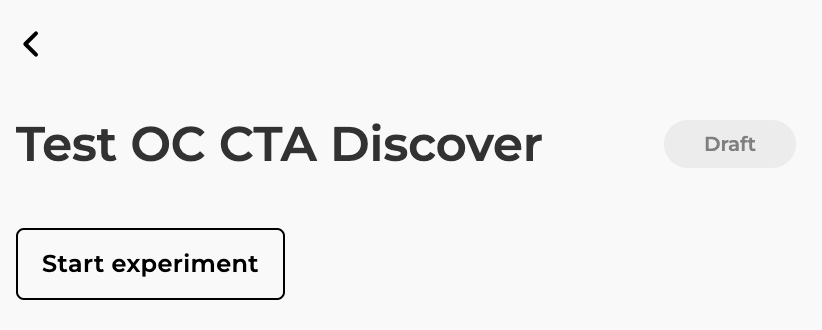 When you create an experiment, you can save it as a draft instead of running it immediately. A `Draft` experiment has not run and, therefore, contains no data. You can start it whenever you're ready.
Ensure the page hasn't changed before starting a draft experiment, as changes may affect the relevance of the targeted wording.
### Paused Experiment
When you create an experiment, you can save it as a draft instead of running it immediately. A `Draft` experiment has not run and, therefore, contains no data. You can start it whenever you're ready.
Ensure the page hasn't changed before starting a draft experiment, as changes may affect the relevance of the targeted wording.
### Paused Experiment
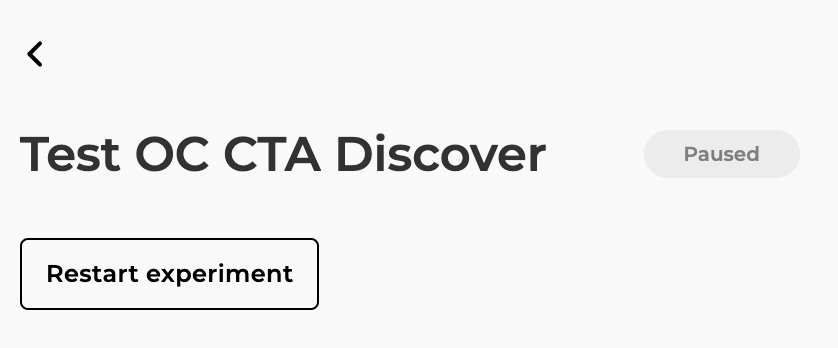 A `Paused` experiment was previously running but is now stopped. Visitors will only see the baseline. The experiment retains any data gathered before it was paused. You can restart it at any time to resume data collection, which will be added to the previous results.
Paused experiments may still display variations for visitors that have already seen one to maintain consistency, but new visitors will only see the baseline. Learn more in our [FAQ](TK).
### Running Experiment
A `Paused` experiment was previously running but is now stopped. Visitors will only see the baseline. The experiment retains any data gathered before it was paused. You can restart it at any time to resume data collection, which will be added to the previous results.
Paused experiments may still display variations for visitors that have already seen one to maintain consistency, but new visitors will only see the baseline. Learn more in our [FAQ](TK).
### Running Experiment
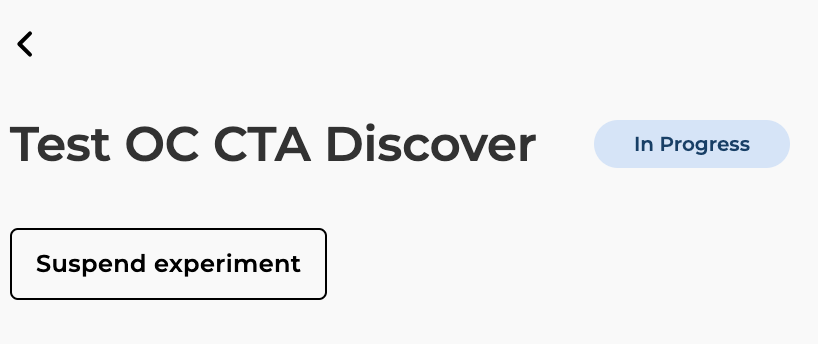 A running experiment can be paused at any time, stopping its display on your website. You can resume it later to continue collecting data.
Reasons to pause an experiment:
* The wording under experiment has been removed from the page.
* You are aware of an event that might bias the experiment results.
Avoid pausing an experiment for long periods, as it may introduce bias and affect its outcome.
## Finish the Experiment
Currently, there is no `Finish` status. To stop an experiment, pause it. Whether or not the experiment is statistically significant, you can analyze the results.
Stopping an experiment before it reaches statistical significance may result in inconclusive data.
You control the duration of your experiments, even if they have already reached statistical significance.
## Delete an Experiment
A running experiment can be paused at any time, stopping its display on your website. You can resume it later to continue collecting data.
Reasons to pause an experiment:
* The wording under experiment has been removed from the page.
* You are aware of an event that might bias the experiment results.
Avoid pausing an experiment for long periods, as it may introduce bias and affect its outcome.
## Finish the Experiment
Currently, there is no `Finish` status. To stop an experiment, pause it. Whether or not the experiment is statistically significant, you can analyze the results.
Stopping an experiment before it reaches statistical significance may result in inconclusive data.
You control the duration of your experiments, even if they have already reached statistical significance.
## Delete an Experiment
 You can delete an experiment at any time, but this action is irreversible.
## Analyze Results
### Statistical Significance
Gleef provides clear insights into whether your experiment is statistically significant. Beyond p-value calculation, we provide three additional key metrics:
* Experiment duration
* Number of visits (per variation)
* Number of success events (per variation)
These metrics will guide your decisions on wording choices. Visit our [significance and results analysis](TK) section for more details.
### Edit the Name of the Experiment
You can edit the `Test name` at any time, regardless of the experiment’s status (`Draft`, `In Progress`, `Paused`).
You can delete an experiment at any time, but this action is irreversible.
## Analyze Results
### Statistical Significance
Gleef provides clear insights into whether your experiment is statistically significant. Beyond p-value calculation, we provide three additional key metrics:
* Experiment duration
* Number of visits (per variation)
* Number of success events (per variation)
These metrics will guide your decisions on wording choices. Visit our [significance and results analysis](TK) section for more details.
### Edit the Name of the Experiment
You can edit the `Test name` at any time, regardless of the experiment’s status (`Draft`, `In Progress`, `Paused`).
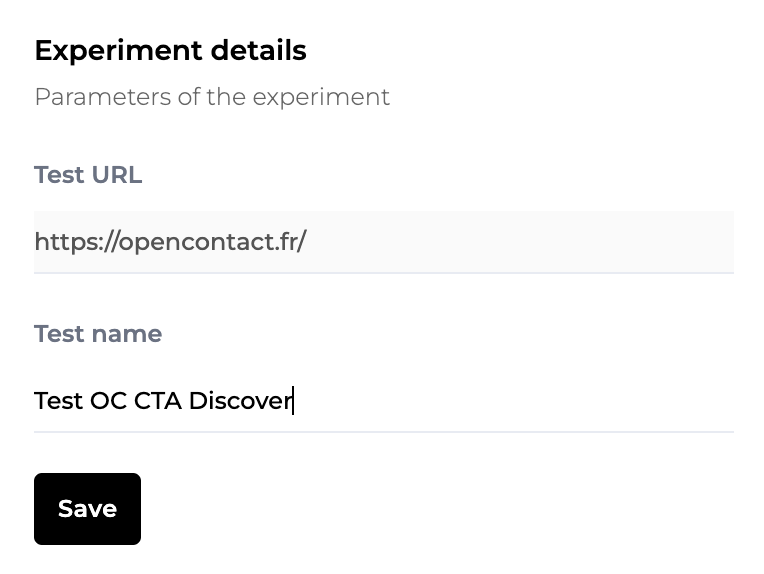 Simply make the change and save it.
To avoid introducing bias, the only parameter you can change after saving the experiment is the name. Learn more in our [FAQ](/Q\&A/QA).
Simply make the change and save it.
To avoid introducing bias, the only parameter you can change after saving the experiment is the name. Learn more in our [FAQ](/Q\&A/QA).