> ## Documentation Index
> Fetch the complete documentation index at: https://docs.gleef.eu/llms.txt
> Use this file to discover all available pages before exploring further.
# Quickstart
> Get started with Gleef Studio in 5 minutes
 ## Access Your Dashboard
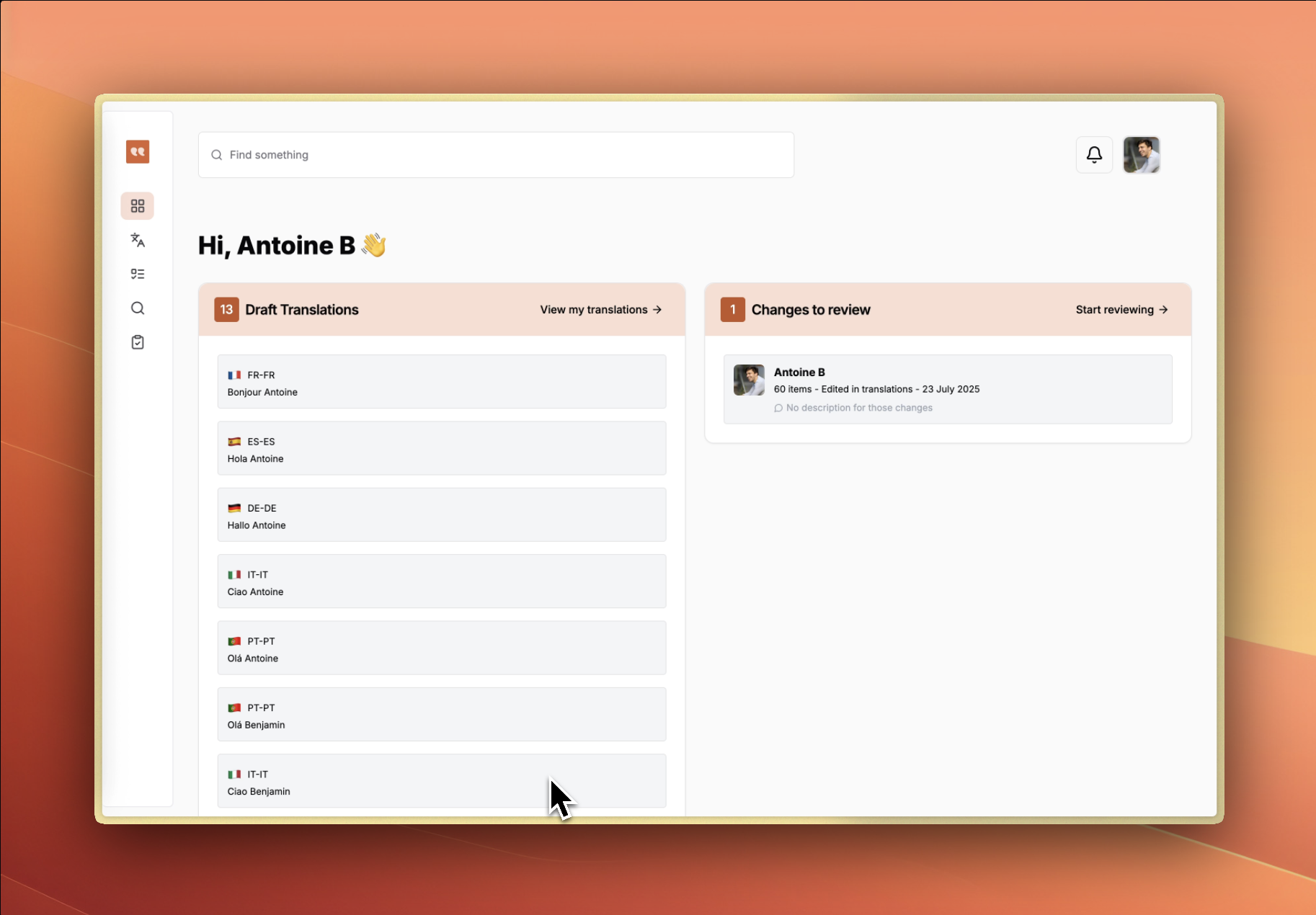
Navigate to `app.gleef.eu/dashboard` and log in with your Gleef account. You'll see:
* **Draft Translations** - Pending items awaiting review
* **Changes to Review** - Modifications ready for approval
## Start Translating
## Access Your Dashboard
Navigate to `app.gleef.eu/dashboard` and log in with your Gleef account. You'll see:
* **Draft Translations** - Pending items awaiting review
* **Changes to Review** - Modifications ready for approval
## Start Translating
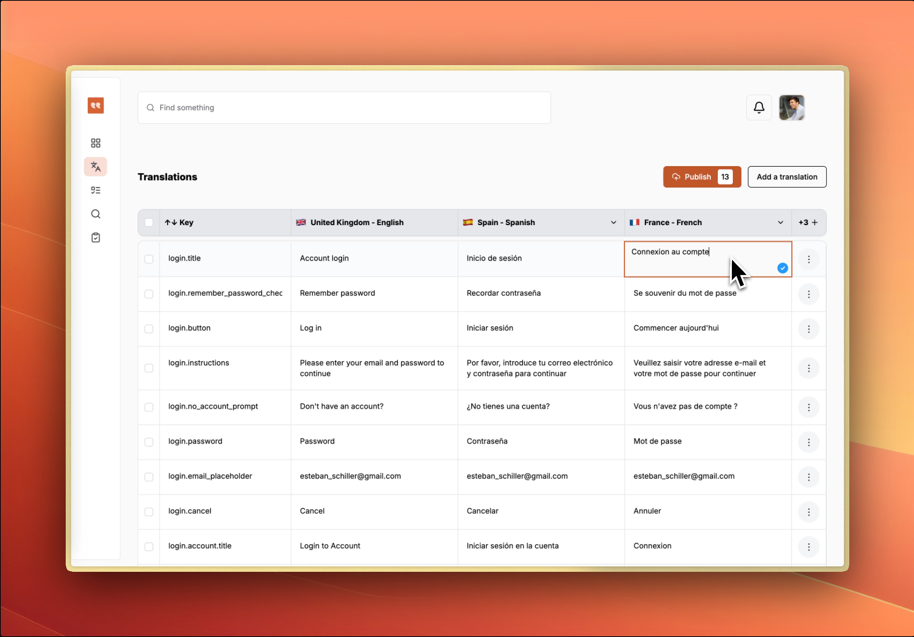 1. **Click "View my translations"** to access the translation table
2. **View other languages** using the "+" button in the header
3. **Click any cell** to edit translation content
4. **Changes save automatically** as you work
5. **Publish or ask for a review** with the top-right button
## Review and Publish
1. **Click "View my translations"** to access the translation table
2. **View other languages** using the "+" button in the header
3. **Click any cell** to edit translation content
4. **Changes save automatically** as you work
5. **Publish or ask for a review** with the top-right button
## Review and Publish
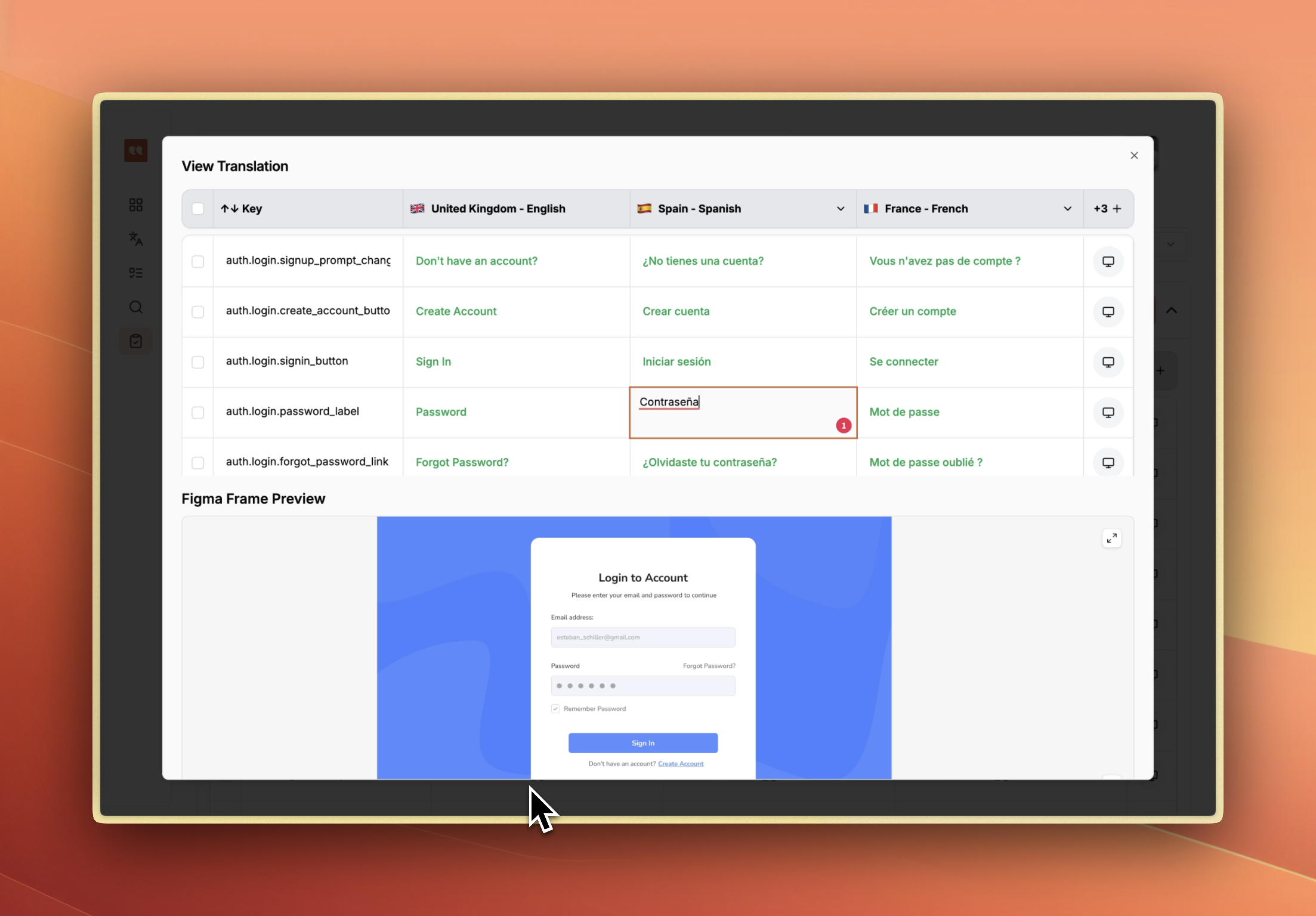 1. **Navigate to Review** to see pending changes
2. **Expand changeset cards** to review modifications
3. **Approve or reject** individual translations
4. **Use the Publish button** to deploy approved changes
## Set Up Translation Rules
1. **Navigate to Review** to see pending changes
2. **Expand changeset cards** to review modifications
3. **Approve or reject** individual translations
4. **Use the Publish button** to deploy approved changes
## Set Up Translation Rules
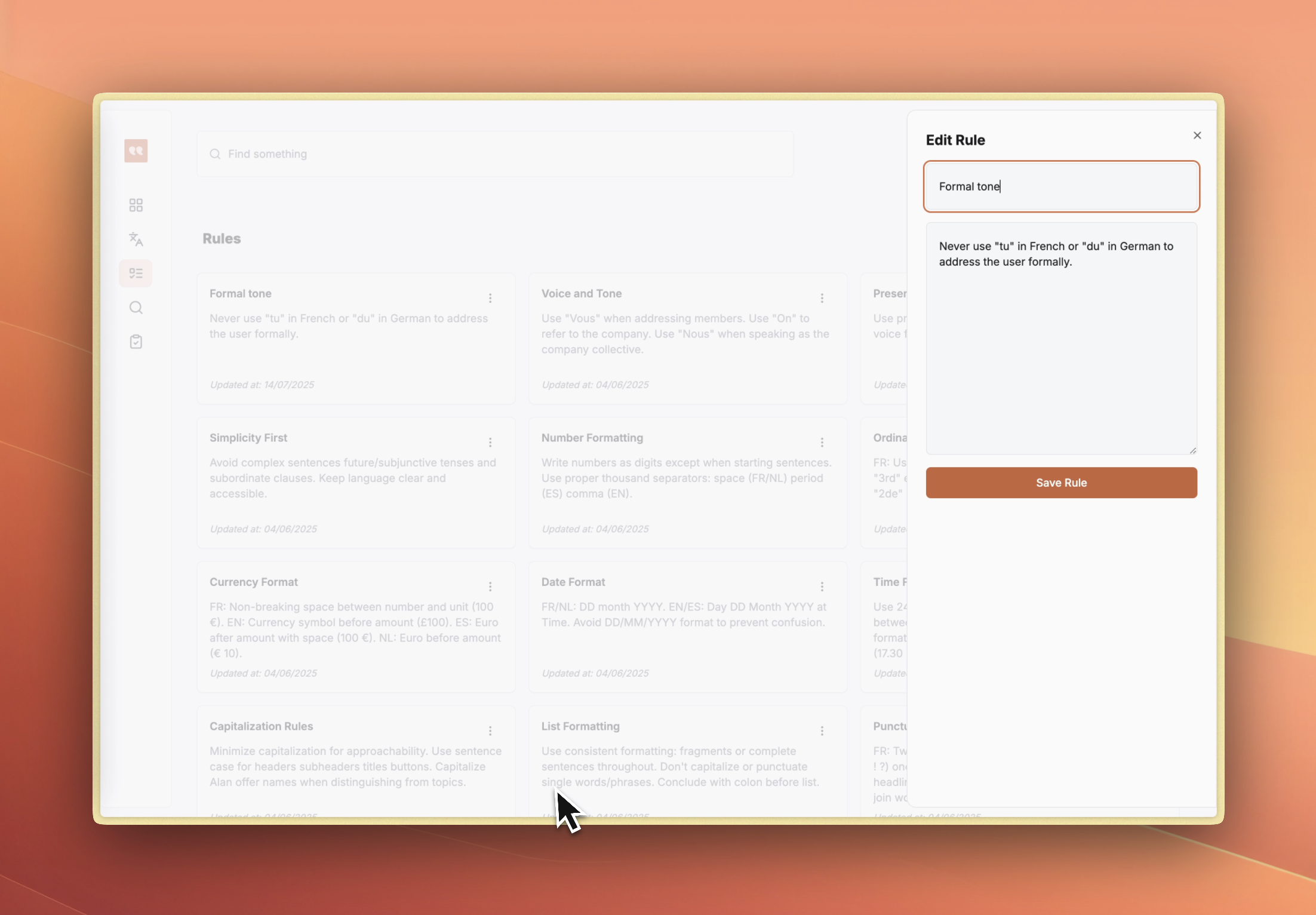 1. **Go to Translation Rules** section
2. **Click "Create New Rule"** to customize AI behavior
3. **Define tone, formatting, and style guidelines**
4. **Rules automatically apply** to new translations
## Next Steps
* Use **Search** to find specific translations or rules
* Connect **Figma designs** for visual context
* Set up **API keys** for CLI integration
1. **Go to Translation Rules** section
2. **Click "Create New Rule"** to customize AI behavior
3. **Define tone, formatting, and style guidelines**
4. **Rules automatically apply** to new translations
## Next Steps
* Use **Search** to find specific translations or rules
* Connect **Figma designs** for visual context
* Set up **API keys** for CLI integration